Discord Status Ideas With Text Faces & Symbols – 180+ to Copy

Discord Status Ideas With Text Faces & Symbols – 180+ to Copy
Table of Contents

Your Discord custom status is the little line people notice when they open a DM or skim a server member list. It doesn't need to explain your whole personality. Maybe you're waiting for your friends to queue, finishing a difficult assignment, or watching your cat take over your chair again. One short sentence and a text face can say plenty.

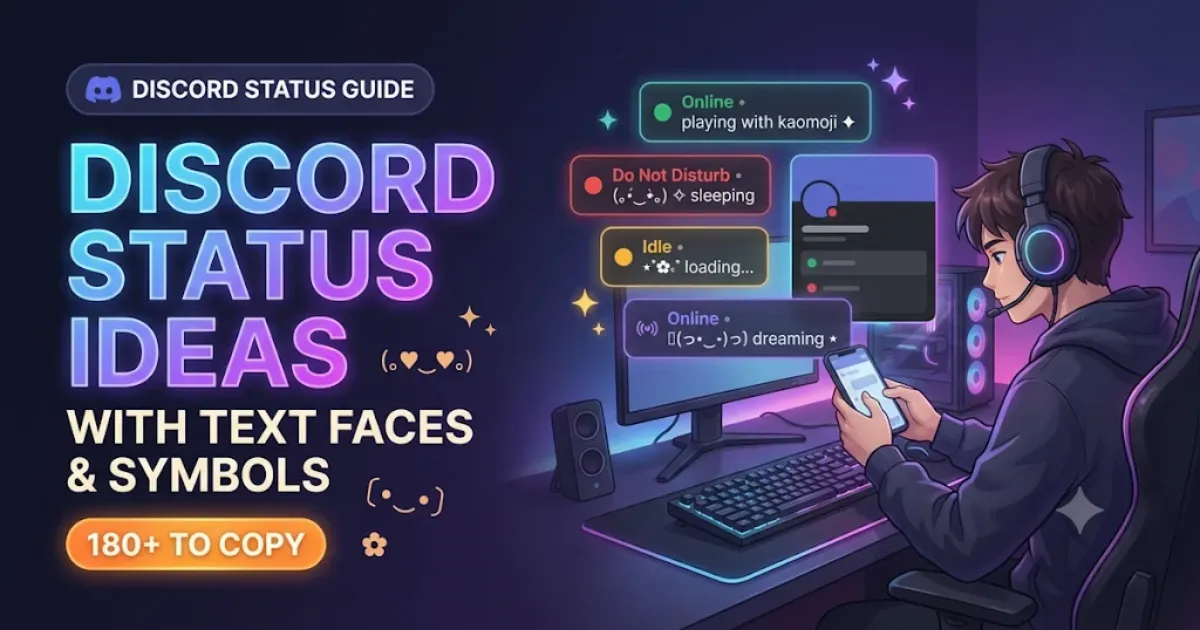
Here are 180 Discord status ideas you can copy, with cute kaomoji, calm symbols, gaming jokes, AFK messages and more. They're grouped by mood, so you can find something useful without reading a hundred unrelated quotes. Pick a line, edit a word if you like, and paste it into Discord's custom status field.

Status vs About Me Bio: These are short status messages meant to describe what you are doing or feeling right now. If you are looking for a longer profile introduction, check out our companion Kaomoji Discord Bio Templates collection.

Interactive Custom Discord Status Maker

Customize your status below. Type your own message, insert cute text faces and aesthetic symbols with one click, check live character counts, and preview how it looks before copying.

Custom Discord Status Maker

Live Simulator
Discord User (。•ᴗ•。) little good news today
30 / 128 chars
Advisory: May exceed Discord's 128-character status limit
Insert Text Face:
Insert Symbol:

180 Discord Status Ideas to Copy

Explore the full collection of 180 curated status lines below. Use the instant search bar or category chips to filter by your current mood, or click Copy Status to grab any design instantly.

Cute & Kawaii Discord Status Ideas

These work for the days when you're in a good mood but don't want to announce it in capital letters. A tiny face can make an ordinary update sound friendly. They're also handy when you're joining a chat and want a gentle opener.

#01 Cute & Kawaii 30 chars
(。•ᴗ•。) little good news today
#02 Cute & Kawaii 26 chars
♡ saved you a seat in chat
#03 Cute & Kawaii 27 chars
✿ in a very strawberry mood
#04 Cute & Kawaii 30 chars
૮ ˶ᵔ ᵕ ᵔ˶ ა tiny victory dance
#05 Cute & Kawaii 26 chars
☆ room for one more friend
#06 Cute & Kawaii 32 chars
(´。• ᵕ •。´) here for the giggles
#07 Cute & Kawaii 34 chars
♡ politely collecting good moments
#08 Cute & Kawaii 30 chars
✧ my plans involve tiny treats
#09 Cute & Kawaii 31 chars
૮₍ ˃ ⤙ ˂ ₎ა feeling extra silly
#10 Cute & Kawaii 25 chars
❀ little wins still count
#11 Cute & Kawaii 31 chars
(๑˃ᴗ˂)ﻭ someone said game night
#12 Cute & Kawaii 28 chars
♡ made it through a busy day
#13 Cute & Kawaii 26 chars
✿ guarding the last cookie
#14 Cute & Kawaii 26 chars
(。•̀ᴗ-)✧ feeling brave-ish
#15 Cute & Kawaii 34 chars
⋆ making a regular day a bit cuter

Aesthetic & Minimal Discord Status Ideas

A minimal status looks better when you leave the words alone. A small star, dot or moon is enough. Try these if your Discord profile already has a busy avatar or colourful banner and you want the text to stay quiet.

#16 Aesthetic & Minimal 27 chars
✦ nothing urgent, just here
#17 Aesthetic & Minimal 23 chars
⋆ a quiet corner online
#18 Aesthetic & Minimal 26 chars
☾ leaving room for silence
#19 Aesthetic & Minimal 29 chars
♡ off the clock, on the couch
#20 Aesthetic & Minimal 25 chars
⋄ taking the scenic route
#21 Aesthetic & Minimal 27 chars
✧ less noise, more daylight
#22 Aesthetic & Minimal 31 chars
· soft light through the blinds
#23 Aesthetic & Minimal 26 chars
⌁ slow replies, clear head
#24 Aesthetic & Minimal 20 chars
☼ the window is open
#25 Aesthetic & Minimal 26 chars
⋆ midnight is for thinking
#26 Aesthetic & Minimal 33 chars
✦ not every thought needs posting
#27 Aesthetic & Minimal 31 chars
☁ a little space between things
#28 Aesthetic & Minimal 23 chars
◇ enjoying the ordinary
#29 Aesthetic & Minimal 29 chars
✧ keeping things simple today
#30 Aesthetic & Minimal 24 chars
☾ signed out of the rush

Funny & Sarcastic Discord Status Ideas

The joke should still make sense if somebody doesn't know you well. These are about everyday inconveniences, bad timing and harmless exaggeration. Nobody needs to be the target for the status to be funny.

#31 Funny & Sarcastic 37 chars
(¬_¬) heard you the first three times
#32 Funny & Sarcastic 33 chars
✧ accepting compliments in snacks
#33 Funny & Sarcastic 37 chars
currently in a meeting with my fridge
#34 Funny & Sarcastic 33 chars
┐( ̄ヮ ̄)┌ excellent question. next.
#35 Funny & Sarcastic 24 chars
☕ my patience is brewing
#36 Funny & Sarcastic 35 chars
available for extremely minor drama
#37 Funny & Sarcastic 41 chars
(¬_¬) that sounds like a tomorrow problem
#38 Funny & Sarcastic 29 chars
✦ unpaid expert in bad timing
#39 Funny & Sarcastic 36 chars
brb, rehearsing an unnecessary reply
#40 Funny & Sarcastic 33 chars
☆ my calendar says absolutely not
#41 Funny & Sarcastic 32 chars
( ̄▽ ̄)ゞ pretending I planned this
#42 Funny & Sarcastic 36 chars
sorry, my imaginary assistant is out
#43 Funny & Sarcastic 31 chars
✧ five stars for my own excuses
#44 Funny & Sarcastic 32 chars
taking suggestions I will ignore
#45 Funny & Sarcastic 31 chars
(¬‿¬) suspiciously well behaved

Gaming & Ranked Discord Status Ideas

A gaming status can tell your friends why you're slow to reply or what kind of session you're having. These are for queues, party invites, last-round nerves and the familiar chaos of playing with friends.

#46 Gaming & Ranked 30 chars
🎮 checking the map, not my DMs
#47 Gaming & Ranked 38 chars
(ง •̀_•́)ง ranked nerves, steady hands
#48 Gaming & Ranked 26 chars
✦ queue popped, I vanished
#49 Gaming & Ranked 28 chars
🎯 comms on, distractions off
#50 Gaming & Ranked 31 chars
⌁ warming up the wrong strategy
#51 Gaming & Ranked 29 chars
⚔ waiting for the whole party
#52 Gaming & Ranked 31 chars
☆ saving my best play for later
#53 Gaming & Ranked 38 chars
🎮 in the lobby with the usual suspects
#54 Gaming & Ranked 36 chars
( •̀ᴗ•́ )و reviewing that last round
#55 Gaming & Ranked 35 chars
✧ controller charged, brain pending
#56 Gaming & Ranked 35 chars
☄ dropping into a questionable plan
#57 Gaming & Ranked 34 chars
🎲 side quest before the main quest
#58 Gaming & Ranked 29 chars
♡ duo slot saved for a friend
#59 Gaming & Ranked 26 chars
⌁ match point, please hold
#60 Gaming & Ranked 36 chars
🎧 callouts louder than my confidence

AFK & Busy Discord Status Ideas

AFK means away from keyboard. It's useful even when you're on a phone, because people understand you aren't watching chat. A specific reason sounds more human than a permanent 'busy' sign, and it helps friends know when to check back.

#61 AFK & Busy 38 chars
☕ away rescuing a forgotten cup of tea
#62 AFK & Busy 26 chars
⏳ back when I find my keys
#63 AFK & Busy 29 chars
✦ at the door, not at my desk
#64 AFK & Busy 33 chars
( ̄ー ̄) doing the dishes, allegedly
#65 AFK & Busy 37 chars
⌁ AFK until the laundry stops arguing
#66 AFK & Busy 37 chars
📦 a delivery has claimed my attention
#67 AFK & Busy 31 chars
♡ reading messages after dinner
#68 AFK & Busy 27 chars
☼ outside for a proper walk
#69 AFK & Busy 37 chars
✎ busy with a thing I kept postponing
#70 AFK & Busy 33 chars
🫖 steeping tea and ignoring pings
#71 AFK & Busy 26 chars
⌛ gone to make actual food
#72 AFK & Busy 24 chars
⋆ on a tiny screen break
#73 AFK & Busy 28 chars
(。•́︿•̀。) trapped in errands
#74 AFK & Busy 29 chars
✧ back after this appointment
#75 AFK & Busy 28 chars
☁ offline for some fresh air

Sad & Emotional Discord Status Ideas

Quiet lines for low-energy days when you want to stay in a server without joining in. A gentle message is enough to let friends know why you aren't chatting.

#76 Sad & Emotional 28 chars
☾ quieter than usual tonight
#77 Sad & Emotional 30 chars
(。•́︿•̀。) taking things slowly
#78 Sad & Emotional 29 chars
✧ not much to say, still here
#79 Sad & Emotional 25 chars
☁ a little homesick today
#80 Sad & Emotional 23 chars
♡ could use a kind word
#81 Sad & Emotional 24 chars
(╥﹏╥) that ending got me
#82 Sad & Emotional 31 chars
⋆ making peace with a rough day
#83 Sad & Emotional 31 chars
☾ keeping my thoughts to myself
#84 Sad & Emotional 29 chars
✧ some days need softer music
#85 Sad & Emotional 37 chars
(っ- ‸ - ς) missing the old group chat
#86 Sad & Emotional 27 chars
☁ watching the rain instead
#87 Sad & Emotional 31 chars
♡ slowly getting my energy back
#88 Sad & Emotional 34 chars
✦ feeling sentimental, that is all
#89 Sad & Emotional 30 chars
(。•́︵•̀。) need a quiet evening
#90 Sad & Emotional 31 chars
☾ tomorrow can have the answers

Love & Romantic Discord Status Ideas

Sweet lines for duo partners, favorite people and best friends. They can be shared or used on their own.

#91 Love & Romantic 31 chars
♡ waiting for my favorite hello
#92 Love & Romantic 29 chars
(。♥‿♥。) someone made me smile
#93 Love & Romantic 35 chars
✧ thinking of one particular person
#94 Love & Romantic 32 chars
♡ your message gets opened first
#95 Love & Romantic 30 chars
⋆ saving the good news for you
#96 Love & Romantic 28 chars
(〃▽〃) that compliment worked
#97 Love & Romantic 34 chars
♡ our little running joke lives on
#98 Love & Romantic 32 chars
✿ counting down to our next call
#99 Love & Romantic 24 chars
♡ my favorite plan is us
#100 Love & Romantic 28 chars
(⁄ ⁄>⁄ ▽ ⁄<⁄ ⁄) suddenly shy
#101 Love & Romantic 34 chars
✧ caught smiling at a notification
#102 Love & Romantic 22 chars
♡ you know who you are
#103 Love & Romantic 34 chars
☼ happier after hearing your voice
#104 Love & Romantic 28 chars
✿ leaving a heart right here
#105 Love & Romantic 35 chars
♡ keeping our shared playlist close

Music & Chill Discord Status Ideas

For late-night voice channels, listening parties and when your headphones are glued to your head.

#106 Music & Chill 36 chars
♫ this album deserves another listen
#107 Music & Chill 33 chars
♪ waiting for the bass to come in
#108 Music & Chill 27 chars
✦ headphones on, tea nearby
#109 Music & Chill 31 chars
♫ found a song for this weather
#110 Music & Chill 35 chars
⌁ taking the longer listening route
#111 Music & Chill 30 chars
♪ my queue has no clear ending
#112 Music & Chill 28 chars
☾ midnight listening session
#113 Music & Chill 27 chars
( ˘ω˘ ) swaying in my chair
#114 Music & Chill 32 chars
♫ listening for the tiny details
#115 Music & Chill 37 chars
✧ the second verse changed everything
#116 Music & Chill 37 chars
♪ collecting songs for the train ride
#117 Music & Chill 30 chars
☁ gentle volume, busy thoughts
#118 Music & Chill 35 chars
♫ making a playlist for no occasion
#119 Music & Chill 33 chars
✦ one more track before I log off
#120 Music & Chill 26 chars
♪ letting the outro finish

Sleepy & Cozy Discord Status Ideas

Late evening lines for winding down, turning down the screen brightness and getting ready to log off.

#121 Sleepy & Cozy 33 chars
(-ω-) zzZ lost the blanket battle
#122 Sleepy & Cozy 32 chars
☁ almost asleep, still scrolling
#123 Sleepy & Cozy 30 chars
✧ pillow negotiations underway
#124 Sleepy & Cozy 29 chars
(ᴗ˳ᴗ) five more quiet minutes
#125 Sleepy & Cozy 30 chars
♡ blanket fort is fully booked
#126 Sleepy & Cozy 34 chars
☾ putting the kettle on before bed
#127 Sleepy & Cozy 28 chars
(っ˘ω˘ς ) nap plans confirmed
#128 Sleepy & Cozy 30 chars
✿ socks on, problems postponed
#129 Sleepy & Cozy 25 chars
☁ rainy window, warm room
#130 Sleepy & Cozy 28 chars
(ᵕ˘ᴗ˘) reading one last page
#131 Sleepy & Cozy 32 chars
⋆ too cozy for serious questions
#132 Sleepy & Cozy 29 chars
☾ dim lights and slow replies
#133 Sleepy & Cozy 23 chars
✧ tucked in with a book
#134 Sleepy & Cozy 25 chars
♡ the couch has won again
#135 Sleepy & Cozy 29 chars
(_ _*) Z z z goodnight, lobby

Study & Productivity Discord Status Ideas

Tell your friends you're focusing on exams, homework or work without closing Discord completely.

#136 Study & Productivity 35 chars
✎ finishing one paragraph at a time
#137 Study & Productivity 25 chars
📚 chapters before chatter
#138 Study & Productivity 30 chars
⌁ focusing until my next break
#139 Study & Productivity 34 chars
✧ notes open, notifications closed
#140 Study & Productivity 33 chars
( •̀ᴗ•́ )و small task, big relief
#141 Study & Productivity 26 chars
✎ one page left. probably.
#142 Study & Productivity 33 chars
☕ reading with a very serious mug
#143 Study & Productivity 32 chars
⋆ saving questions for the break
#144 Study & Productivity 25 chars
📖 deep in a borrowed book
#145 Study & Productivity 36 chars
✧ the checklist is finally shrinking
#146 Study & Productivity 34 chars
⌛ studying, check back after lunch
#147 Study & Productivity 26 chars
✎ rewriting the messy bits
#148 Study & Productivity 28 chars
♡ cheering for tiny progress
#149 Study & Productivity 28 chars
📚 library mode: whisper only
#150 Study & Productivity 31 chars
✦ deadline approaching politely

Cat & Pet Lover Discord Status Ideas

Pet owners already know who makes the household rules. These lines fit the stolen chair, surprise walk or unexpected paw on the keyboard. They also make a fun status for people who simply love animals.

#151 Cat & Pet Lover 38 chars
(=^・ω・^=) my cat controls the schedule
#152 Cat & Pet Lover 28 chars
🐾 pet hair is my new uniform
#153 Cat & Pet Lover 31 chars
✧ taking orders from a tiny dog
#154 Cat & Pet Lover 38 chars
(=`ω´=) apparently this chair is taken
#155 Cat & Pet Lover 38 chars
♡ out walking my favorite troublemaker
#156 Cat & Pet Lover 29 chars
🐈 the cat has vetoed my plans
#157 Cat & Pet Lover 30 chars
✿ treats in pocket, no regrets
#158 Cat & Pet Lover 28 chars
(=^‥^=) whiskers before work
#159 Cat & Pet Lover 30 chars
🐾 waiting for the evening walk
#160 Cat & Pet Lover 33 chars
✧ my pet is the real server owner
#161 Cat & Pet Lover 37 chars
♡ currently negotiating with a rabbit
#162 Cat & Pet Lover 28 chars
(=ↀωↀ=) supervised by a loaf
#163 Cat & Pet Lover 26 chars
🐕 the leash is by the door
#164 Cat & Pet Lover 36 chars
⋆ collecting pictures of sleepy paws
#165 Cat & Pet Lover 31 chars
🐾 one more minute of belly rubs

Kaomoji & Text Faces Discord Status Ideas

Sometimes the expression carries the entire joke. Kaomoji use text characters to create faces and gestures, including shrugs, hugs and dramatic table flips. Copy one intact so its spacing and shape survive the trip into Discord.

#166 Kaomoji & Text Faces 24 chars
( ͡° ͜ʖ ͡°) I heard that
#167 Kaomoji & Text Faces 39 chars
¯\_(ツ)_/¯ your guess is as good as mine
#168 Kaomoji & Text Faces 30 chars
(ノ◕ヮ◕)ノ*:・゚✧ small celebration
#169 Kaomoji & Text Faces 30 chars
(╯°□°)╯︵ ┻━┻ lost the argument
#170 Kaomoji & Text Faces 28 chars
┬─┬ノ( º _ ºノ) table restored
#171 Kaomoji & Text Faces 24 chars
(¬‿¬) you did not see me
#172 Kaomoji & Text Faces 23 chars
(⊙_⊙;) was that for me?
#173 Kaomoji & Text Faces 21 chars
(づ。◕‿‿◕。)づ take a hug
#174 Kaomoji & Text Faces 28 chars
(ಥ_ಥ) that was my last snack
#175 Kaomoji & Text Faces 39 chars
( ̄^ ̄)ゞ reporting for absolutely nothing
#176 Kaomoji & Text Faces 32 chars
(⊃。•́‿•̀。)⊃ awkward hug incoming
#177 Kaomoji & Text Faces 27 chars
(☞゚ヮ゚)☞ your turn to choose
#178 Kaomoji & Text Faces 29 chars
(ง'̀-'́)ง ready for round two
#179 Kaomoji & Text Faces 31 chars
(=_=) another tab is still open
#180 Kaomoji & Text Faces 27 chars
(ノ´ з `)ノ sending good luck

How to Pick a Discord Status That Fits

Think about what your friends should know at a glance. If you're in a match, a gaming line is more useful than a mysterious quote. If you're taking a break, say so. A status that has a real connection to your day will age better than one picked only because it looks fancy.

Keep the important words near the beginning. Discord may shorten longer lines in member lists, even when the full text fits in the editor. If a status has a kaomoji at the front, check that there's still enough room for the message.

How to Use a Custom Status in Discord

  1. Find a status line from the collection above and click Copy Status.
  2. Open Discord on desktop or in a browser, and select your profile icon in the lower-left corner.
  3. Click Set Custom Status (or Add Status).
  4. Paste the copied text into the status field.
  5. Choose an optional status emoji and set the Clear After duration (e.g. 4 hours, Today, or Don't Clear).
  6. Click Save to activate your new custom status.

On mobile, tap your profile tab in the bottom right, tap Set Status, paste your line and save. Discord custom statuses clear after one day by default unless you choose another duration.

Make a Status With Your Own Text Face

Start with the message, not a wall of symbols. Write something short, such as "stepping out for coffee", then try a face like (。•ᴗ•。) or a small symbol such as ✦. If you prefer a dramatic reaction, use a shrug ¯\_(ツ)_/¯ or table-flip face. Leave the punctuation and spacing intact when you copy.

For more individual faces, visit NickFinder's Lenny Face Generator. Our Stylish Font Customizer is also useful for experimenting with decorative lettering.

Will Text Faces and Symbols Display Correctly?

Kaomoji and fancy symbols use Unicode characters. They can look slightly different across fonts, phones and operating systems. An unfamiliar character may show as a box or shift position. If that happens, use a simpler face or remove the decoration. Our preview is a visual guide, not a live view inside your Discord account.

Many current independent guides report a 128-character custom-status limit. Discord's official help article explains how to set a status but doesn't state an exact maximum. Treat the counter on this page as a planning aid and trust the limit shown in your own Discord app. Shorter lines also tend to survive truncation in busy server lists.

Discord Status vs About Me Bio

Your custom status is a small, changeable update. It's the right place for "away until dinner", "ranked tonight" or a quick kaomoji. Your About Me bio is where you can put a longer description, interests or a personal introduction. You can use text faces in both, but there's no reason to paste a full three-line bio into your status.

Frequently Asked Questions

What are good funny Discord status ideas?

Try a harmless everyday joke such as "my patience is brewing" or "currently in a meeting with my fridge". Short jokes are easier to read in the member list.

Can I use kaomoji in a Discord custom status?

You can paste text faces and other supported Unicode characters. The exact appearance depends on the app, font and device.

How do I set an AFK status on Discord?

Copy a short AFK message, open Add Status from your profile, paste it and choose when the custom status should clear. It doesn't automatically change your presence to Idle.

Why did my Discord custom status disappear?

Discord's default clear time is one day. Open the status editor and choose a different duration if you want it to stay longer.

Can I use these statuses on mobile?

Yes. Copy a line on your phone and paste it into Discord's mobile custom status editor. Some symbols may render differently on different devices.

Do these statuses change what game Discord says I am playing?

No. Custom text statuses and detected game activity are separate features. Your actual activity may still appear on your full profile, depending on your privacy settings.

Are the 180 statuses free to copy?

Yes. They're ready-to-copy text ideas. You can change the wording and test them in your own Discord account.

Find One That Sounds Like You

A status doesn't need to impress every person in the server. It just needs to sound right for the moment. Pick a line from the collection, change a word, or borrow a text face for something you're writing yourself. When your mood changes, your status can change with it.

Explore More Discord & Gaming Creator Tools
Kaomoji Discord Bio Templates Lenny Face Generator Stylish Font Customizer Invisible Space Generator Free Fire Bio Color Codes
Share with Squad:
Back to Generator My Saved Favorites

Explore Gaming Hubs & Creator Tools

Discover more styles for your identity across our dedicated gender collections, gaming hubs, and font formatting tools:

Gaming Hubs
Free Fire BGMI PUBG Mobile Roblox Fortnite COD Mobile Minecraft Valorant Mobile Legends
Creator Tools
Nicknames for Boys Nicknames for Girls Guild & Clan Names Stylish Font Customizer Invisible Space Generator Lenny Face Generator My Saved Favorites Fancy Text Generator